 EN
EN

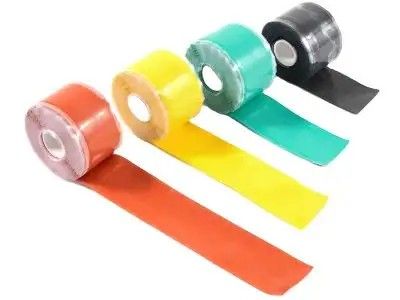
Soft thermal pads are helpful tools that can improve how heat moves away from electronic parts. Sometimes, electronic components have uneven surfaces. If you put a pad on these bumpy areas, it helps to spread the heat evenly. This prevents parts from getting too hot, which can cause them to break or work poorly. Using soft thermal pads from Volsun means you get better cooling for your devices.
What Are the Benefits of Using Soft Thermal Pads on Uneven Surfaces?
Soft thermal pads are great for many reasons, especially when dealing with uneven surfaces. First, they adapt easily to bumps and grooves. This means that no matter how uneven the surface is, the pad can fit snugly and create a solid connection. This connection helps heat transfer better. For example, when you use a soft thermal pad on a computer chip, it can help keep the chip cool even if the surface isn't perfectly flat. Another benefit is that soft thermal pads can fill small gaps. This is important because any air gaps can make heat transfer less effective. If there's air between the pad and the component, it creates a barrier that can trap heat. Soft pads fill those gaps, which improves heat flow.
How to Choose the Right Soft Thermal Pad for Irregular Components
Choosing the right soft thermal pad can seem tricky, but it doesn't have to be. Start by looking at the thickness of the pad. Thicker pads can fill bigger gaps, but if the surface is only slightly uneven, a thinner pad might work just fine. For example, if you are working with a gaming console that has a small gap, a thinner pad from Volsun can be the perfect choice. Next, think about the material of the pad. Some materials are better at conducting heat than others. You want a pad that can transfer heat effectively to keep the components cool.
Quality
When you need soft thermal pads for your projects, you want to make sure you find high-quality ones. One great place to look is at Volsun. Volsun offers a variety of best thermal pad that are perfect for many uses, such as in computers, electronics, and other devices. If you’re planning to buy these pads in bulk, Volsun has wholesale deals that can save you money. Buying in bulk means you get a lot of pads at once, which is great if you have a big project or if you are working on many devices. High-quality thermal pads from Volsun can help keep your devices cool. You can find these pads on Volsun’s website or at local stores that partner with them. When you search online, make sure to check reviews from other customers. This can help you choose the best thermal pads for your needs.
Application
Now that you have your soft thermal pads, the next step is to ensure they perform well, especially on uneven surfaces. Uneven surfaces can be tricky because they may not let the thermal pad heat conductivity fit snugly. To make sure you get the best performance, start by cleaning the surface where you will place the thermal pad. Use a soft cloth and some isopropyl alcohol to remove any dirt or dust. This helps the pad stick better. Next, it’s important to choose the right thickness of the thermal pad. If the surface is very uneven, you might need a thicker pad. Volsun offers different thicknesses, so you can pick one that fits your needs. Once you have the right pad, carefully place it on the surface. If the pad is too big, you can cut it to fit better.
Conclusion
Fitting soft thermal pads on non-flat surfaces can be a bit challenging, but it’s not impossible! Start by measuring the area where you want to place the thermal pad thermal conductivity can use a ruler or measuring tape to get the right dimensions. If the surface is very uneven, you might want to consider cutting the thermal pad into smaller pieces. This can help the pieces better fit into the dips and bumps of the surface. When cutting, be sure to use sharp scissors for a clean edge. After you have your pieces ready, peel off the protective layer on one side of the thermal pad. Place it carefully on the surface, making sure it covers the hottest parts of the component. If you need to fit several pieces, arrange them so they cover the area without leaving any gaps.